# Protect Your Enterprise: A Guide to Cybersecurity Essentials for Small Business Owners
In the digital age, where almost every business transaction and communication happens online, cybersecurity is no longer a luxury—it’s a necessity. For small business owners and solopreneurs, protecting your enterprise from cyber threats is crucial. Unfortunately, many small businesses overlook cybersecurity, thinking they are too small to be targeted. However, the reality is quite the opposite. Cybercriminals often see small businesses as easy targets due to their lack of robust security measures.
This guide is designed to help solopreneurs who are not tech-savvy to understand and implement essential cybersecurity practices. By the end of this article, you will have a clear roadmap to protect your business from potential cyber threats.
## Password Management
Passwords are often the first line of defense against unauthorized access to your accounts. However, managing multiple complex passwords can be daunting. This is where password managers like Bitwarden and 1Password come in.
### Bitwarden
Bitwarden is a free, open-source password manager that helps you store and manage your passwords securely. It offers a user-friendly interface and can generate strong, unique passwords for each of your accounts. Here’s how you can get started:
1. **Sign Up**: Go to Bitwarden’s website and create an account.
2. **Install the App**: Download the Bitwarden app on your devices, including your computer and smartphone.
3. **Import Passwords**: If you have your passwords saved in a browser or another password manager, you can import them into Bitwarden.
4. **Generate Strong Passwords**: Use Bitwarden’s password generator to create strong and unique passwords for each account.
5. **Secure Your Vault**: Enable two-factor authentication for your Bitwarden account for added security.
### 1Password
1Password is another excellent option for password management. It offers a simple interface and robust security features. Here’s how to use it:
1. **Sign Up**: Create an account on the 1Password website.
2. **Download the App**: Install 1Password on your devices.
3. **Set Up Your Vault**: Add your existing passwords and use 1Password’s generator for new ones.
4. **Organize Your Data**: Categorize your passwords, secure notes, and other sensitive information.
5. **Enable Two-Factor Authentication**: Add an extra layer of security to your 1Password account.
## Two-Factor Authentication (2FA)
Two-factor authentication adds an additional layer of security by requiring a second form of verification before accessing your accounts. This could be a text message code, an email, or an authentication app like Google Authenticator.
### How to Set Up 2FA
1. **Choose Your Method**: Decide whether you want to receive codes via SMS, email, or an authentication app.
2. **Enable 2FA**: Go to the security settings of your online accounts and enable 2FA.
3. **Follow Instructions**: Each platform will guide you through the setup process.
4. **Backup Codes**: Save backup codes provided during setup in a secure place. These will help you regain access if you lose your 2FA device.
## Email Security
Emails are a common entry point for cyber attacks. Protecting your email accounts is critical to safeguarding your business.
### Tips for Email Security
1. **Use Strong Passwords**: Ensure your email password is strong and unique.
2. **Enable 2FA**: Add two-factor authentication to your email accounts.
3. **Be Wary of Phishing**: Avoid clicking on suspicious links or attachments from unknown senders.
4. **Regularly Update Software**: Keep your email client and antivirus software updated to protect against vulnerabilities.
## VPN for Remote Work
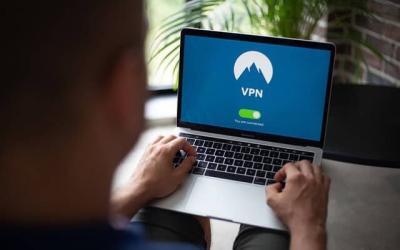
A Virtual Private Network (VPN) encrypts your internet connection, making it more secure, especially when working remotely or using public Wi-Fi.
### Setting Up a VPN
1. **Choose a Reliable VPN Provider**: Research and select a VPN that suits your needs. Popular options include NordVPN and ExpressVPN.
2. **Install the VPN App**: Download and install the VPN app on your devices.
3. **Connect to a Server**: Open the app and connect to a server of your choice.
4. **Stay Protected**: Always use the VPN when accessing sensitive business information online.
## Data Backup Strategy
Regular data backups are essential to protect your business from data loss due to cyber attacks or system failures.
### Creating a Backup Strategy
1. **Identify Critical Data**: Determine what data is essential for your business operations.
2. **Choose a Backup Method**: Options include external hard drives, cloud storage, or a combination of both.
3. **Schedule Regular Backups**: Set up automatic backups to ensure your data is consistently saved.
4. **Test Your Backups**: Regularly test your backups to ensure they can be restored if needed.
## What to Do If You Get Hacked
Despite the best precautions, cyber attacks can still happen. Knowing how to respond can minimize damage.
### Steps to Take if Hacked
1. **Stay Calm**: Panicking can lead to hasty decisions. Take a deep breath and assess the situation.
2. **Disconnect from the Internet**: If you suspect an active attack, disconnect your devices from the internet to prevent further data loss.
3. **Change Your Passwords**: Immediately change passwords for affected accounts.
4. **Notify Affected Parties**: Inform clients or partners involved in the breach.
5. **Contact Professionals**: Consider hiring cybersecurity experts to assess and mitigate the damage.
6. **Report the Incident**: Report the breach to relevant authorities and comply with any legal obligations.
## Security Checklist
Here’s a quick checklist to ensure your business is protected:
– [ ] Use a password manager (Bitwarden or 1Password).
– [ ] Enable two-factor authentication on all accounts.
– [ ] Implement email security measures.
– [ ] Use a VPN for remote work.
– [ ] Establish a regular data backup strategy.
– [ ] Know the steps to take if you get hacked.
By following this guide and checklist, you can significantly enhance the cybersecurity posture of your small business. Remember, cybersecurity is an ongoing process that requires regular updates and vigilance. Protecting your enterprise not only safeguards your business but also builds trust with your clients and partners. Stay proactive and keep your digital assets secure.