# Safeguard Your Small Business: Cybersecurity Strategies Every Owner Needs to Implement
In today’s digital age, the internet is a double-edged sword for small business owners. While it offers unprecedented opportunities for growth and connectivity, it also opens the door to cyber threats that can jeopardize your business. As a solopreneur, you may not have a dedicated IT team to manage your cybersecurity, but that doesn’t mean you should leave your business vulnerable. In this non-technical guide, we’ll walk you through essential cybersecurity strategies you can implement to protect your business. From password management to email security, we’ve got you covered with actionable steps and a handy security checklist.
## Understanding the Importance of Cybersecurity
Before diving into specific strategies, it’s crucial to understand why cybersecurity matters. Cyberattacks can lead to data breaches, financial loss, and damage to your reputation. As a small business owner, you may think you’re too small to be targeted, but cybercriminals often see small businesses as easy targets due to their lack of robust security measures. Implementing the right strategies can help you safeguard your business assets and maintain the trust of your customers.
## Password Management
Passwords are the first line of defense against unauthorized access to your accounts. However, managing passwords can be challenging, especially if you’re juggling multiple accounts. Here’s how you can simplify and strengthen your password management:
### Use a Password Manager
Password managers are tools that store and organize your passwords securely. They can generate strong, unique passwords for each of your accounts, so you don’t have to remember them all. Two popular password managers are Bitwarden and 1Password.
– **Bitwarden**: Bitwarden is an open-source password manager known for its affordability and robust security features. It offers a user-friendly interface and allows you to store an unlimited number of passwords, even on the free plan.
– **1Password**: 1Password is another excellent choice that provides advanced security features like password sharing and secure notes. It offers a sleek design and integrates well with various devices and browsers.
### Best Practices for Password Management
– **Use Strong Passwords**: Ensure your passwords are at least 12 characters long and include a mix of letters, numbers, and symbols.
– **Avoid Reusing Passwords**: Never use the same password across multiple accounts. If one account is compromised, others will be at risk.
– **Enable Autofill**: Use the autofill feature in your password manager to log in to accounts securely without typing your passwords manually.
## Two-Factor Authentication (2FA)
Two-factor authentication adds an extra layer of security to your accounts by requiring a second form of verification in addition to your password. This could be a code sent to your phone, an email, or an authentication app.
### Setting Up 2FA
1. **Identify Accounts**: Start by identifying which of your accounts offer 2FA. Common ones include email, social media, and financial accounts.
2. **Choose a Method**: Decide whether you want to receive codes via SMS, email, or an authentication app like Google Authenticator or Authy.
3. **Enable 2FA**: Go to the security settings of your account and follow the instructions to enable 2FA.
### Benefits of 2FA
– **Enhanced Security**: Even if someone steals your password, they won’t be able to access your account without the second verification step.
– **Peace of Mind**: Knowing your accounts have an additional layer of protection can give you peace of mind.
## Email Security
Emails are a common entry point for cyberattacks, often through phishing scams. Here are some strategies to bolster your email security:
### Recognize Phishing Emails
Phishing emails are designed to trick you into revealing personal information. Look for these signs:
– **Suspicious Sender**: Check the sender’s email address for inconsistencies.
– **Urgent Language**: Be wary of emails that create a sense of urgency or fear.
– **Unusual Links**: Hover over links to see the actual URL before clicking.
### Implement Email Security Measures
– **Use a Secure Email Provider**: Choose an email provider with strong security features, such as Gmail or ProtonMail.
– **Enable Spam Filters**: Adjust your email settings to filter out spam and potential phishing emails.
– **Regularly Update Passwords**: Change your email password regularly and use a strong, unique password.
## VPN for Remote Work
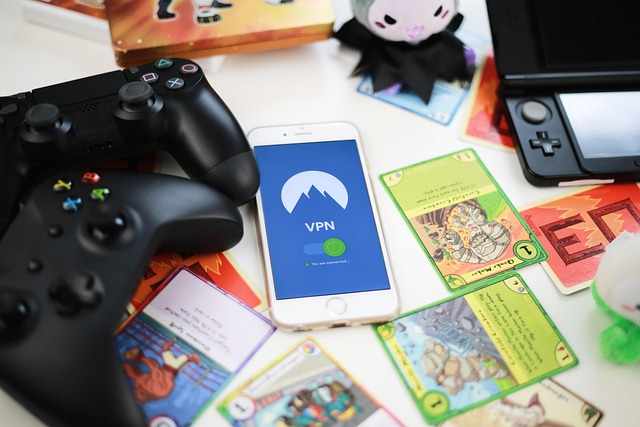
A Virtual Private Network (VPN) encrypts your internet connection, making it more secure, especially when working remotely or using public Wi-Fi.
### Choosing a VPN
– **Reputable Providers**: Opt for reputable VPN providers like NordVPN, ExpressVPN, or CyberGhost.
– **Ease of Use**: Look for a VPN that is easy to install and use, especially if you’re not tech-savvy.
– **No-Log Policy**: Ensure the VPN provider has a strict no-log policy, meaning they don’t track your online activity.
### Benefits of Using a VPN
– **Secure Connection**: Protects your data from being intercepted by hackers.
– **Access Control**: Allows you to safely access your business network from anywhere.
## Data Backup Strategy
Backing up your data ensures that you can recover important information in case of a cyberattack or system failure.
### Creating a Data Backup Plan
1. **Identify Critical Data**: Determine which files and information are essential for your business.
2. **Choose Backup Methods**: Use a combination of cloud storage (like Google Drive or Dropbox) and external hard drives.
3. **Schedule Regular Backups**: Set up automatic backups to ensure your data is consistently updated.
### Benefits of Data Backup
– **Data Recovery**: Quickly restore lost or corrupted data.
– **Business Continuity**: Minimize downtime and maintain operations after an incident.
## What to Do If You Get Hacked
Despite your best efforts, breaches can still occur. Here’s what to do if you suspect your business has been hacked:
1. **Stay Calm**: Panicking can lead to hasty decisions. Take a deep breath and assess the situation.
2. **Identify the Breach**: Determine which accounts or systems have been compromised.
3. **Change Passwords**: Immediately change passwords for affected accounts and any others that may be at risk.
4. **Notify Affected Parties**: Inform customers or clients if their information has been compromised.
5. **Seek Professional Help**: Consider hiring a cybersecurity expert to help you assess and mitigate the damage.
## Cybersecurity Checklist
To help you stay on top of your cybersecurity efforts, use this checklist:
– [ ] Use a password manager (Bitwarden or 1Password) to store and generate strong passwords.
– [ ] Enable two-factor authentication (2FA) on all accounts that offer it.
– [ ] Regularly update passwords and avoid reusing them across accounts.
– [ ] Recognize and avoid phishing emails by checking sender details and links.
– [ ] Use a secure email provider with strong spam filters.
– [ ] Install and regularly use a VPN for secure remote work.
– [ ] Create a comprehensive data backup strategy and schedule regular backups.
– [ ] Stay informed about the latest cybersecurity threats and best practices.
– [ ] Have a response plan in place for potential cyberattacks.
By following these strategies and maintaining a proactive approach to cybersecurity, you can protect your small business from cyber threats. Remember, cybersecurity is an ongoing process, and staying vigilant is key to safeguarding your business in the digital world.