# Protect Your Enterprise: Essential Cybersecurity Tips for Small Business Owners
In today’s digital age, cybersecurity is not just a concern for large corporations. Small businesses, particularly those run by solopreneurs, are increasingly targeted by cybercriminals. Why? Because they often have fewer defenses in place and may not prioritize cybersecurity as much as larger companies. However, protecting your enterprise is crucial to maintaining your reputation, securing your data, and ensuring the trust of your clients. This guide will walk you through essential cybersecurity tips tailored for small business owners who may not be tech-savvy, offering actionable steps to safeguard your business.
## Password Management: Your First Line of Defense
Passwords are the keys to your digital kingdom, and managing them effectively is crucial. Weak passwords are an open invitation to cybercriminals, so it’s important to use strong, unique passwords for each of your accounts. Here’s how you can manage your passwords effectively:
### Use a Password Manager
Password managers like **Bitwarden** and **1Password** can help you create and store strong, unique passwords for all your accounts. These tools automatically generate complex passwords and save them securely, so you don’t have to remember each one.
– **Bitwarden**: This is a great option for solopreneurs because it offers a free plan that covers the basics. You can store an unlimited number of passwords and sync them across all your devices.
– **1Password**: While not free, 1Password offers a user-friendly interface and additional features like password sharing and monitoring for compromised accounts.
### Password Management Tips
– **Create Strong Passwords**: Use a combination of letters, numbers, and symbols. Avoid common words or phrases.
– **Unique Passwords for Each Account**: Never reuse passwords across different sites or services.
– **Enable Autofill**: Let your password manager autofill passwords to reduce the risk of phishing attacks.
## Two-Factor Authentication (2FA): Adding an Extra Layer
Two-factor authentication (2FA) adds an extra layer of security to your accounts. Even if someone steals your password, they won’t be able to access your account without the second factor, usually a code sent to your phone.
### Setting Up 2FA
– **Enable 2FA on Important Accounts**: Start with your email, banking, and social media accounts. Most services offer 2FA in their security settings.
– **Use an Authenticator App**: Apps like Google Authenticator or Authy are more secure than SMS codes, which can be intercepted.
## Email Security: Guard Your Communications
Email is a common entry point for cyberattacks, often through phishing scams. Protecting your email is crucial to safeguarding your business.
### Steps to Secure Your Email
– **Be Wary of Phishing Emails**: Look out for suspicious emails that ask for personal information or urge you to click on a link. Always verify the sender’s email address.
– **Use a Secure Email Provider**: Providers like ProtonMail offer end-to-end encryption, ensuring your emails are private.
– **Regularly Update Your Email Password**: Change your password every few months and ensure it’s strong and unique.
## VPN for Remote Work: Secure Your Connections
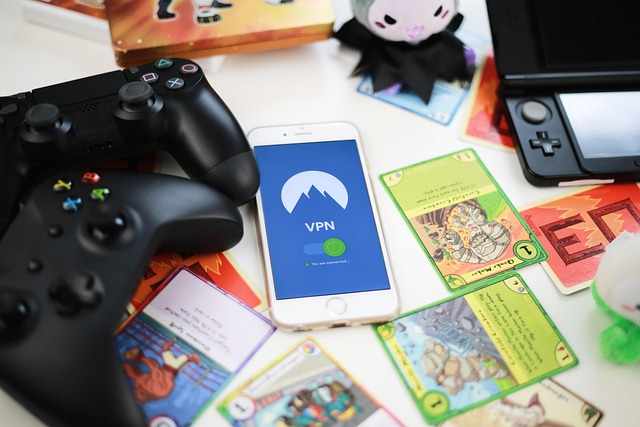
A Virtual Private Network (VPN) encrypts your internet connection, making it more secure, especially when working remotely or using public Wi-Fi.
### Choosing and Using a VPN
– **Select a Reliable VPN Service**: Look for reputable providers like NordVPN or ExpressVPN. They offer user-friendly apps and strong encryption.
– **Always Connect to a VPN on Public Wi-Fi**: Public networks are not secure, so always use a VPN to protect your data when accessing them.
## Data Backup Strategy: Prepare for the Unexpected
Backing up your data ensures that you can recover important information in case of a cyberattack or hardware failure.
### Implementing a Data Backup Strategy
– **Use Cloud Backup Services**: Services like Google Drive, Dropbox, or OneDrive automatically sync your files to the cloud, providing easy access and recovery.
– **Regularly Backup Important Files**: Set a schedule to back up your data regularly, whether daily, weekly, or monthly, depending on your needs.
– **Keep Multiple Copies**: Store backups in different locations, such as an external hard drive and a cloud service.
## What to Do If You Get Hacked
Despite your best efforts, breaches can still happen. Knowing how to respond can minimize damage and help you recover quickly.
### Immediate Steps to Take
1. **Stay Calm and Assess the Situation**: Determine which accounts or data may have been compromised.
2. **Change Passwords Immediately**: Update passwords for affected accounts and any others that may be at risk.
3. **Notify Relevant Parties**: Inform clients or partners if their data may be affected.
4. **Seek Professional Help**: If needed, consult with cybersecurity experts to assess and mitigate the damage.
## Cybersecurity Checklist for Solopreneurs
To help you implement these tips, here’s a simple checklist:
1. **Set Up a Password Manager**: Choose Bitwarden or 1Password and create strong, unique passwords for all accounts.
2. **Enable Two-Factor Authentication**: Activate 2FA on all critical accounts using an authenticator app.
3. **Secure Your Email**: Be vigilant about phishing attempts and use a secure email provider.
4. **Use a VPN**: Install and use a VPN when working remotely or on public Wi-Fi.
5. **Back Up Your Data**: Implement a regular backup schedule using cloud services and external drives.
6. **Prepare for Potential Breaches**: Have a plan in place for responding to cyberattacks.
By following these steps, you can significantly enhance the cybersecurity of your small business, protecting your assets and ensuring your peace of mind. Remember, cybersecurity is an ongoing process, and staying informed and vigilant is key to keeping your business safe in the digital world.