# Protect Your Passion: Essential Cybersecurity Tips for Small Business Owners
In today’s digital age, small business owners face an array of cybersecurity threats that can jeopardize their hard-earned success. As a solopreneur, your business is your passion, and protecting it should be a top priority. However, cybersecurity can often feel overwhelming, especially if you’re not tech-savvy. Fear not! This guide will break down essential cybersecurity tips in a non-technical way, helping you safeguard your business without the headache.
## Password Management: Your First Line of Defense
Passwords are your first line of defense against cyber threats. Weak or reused passwords can open the door to hackers. Here are some practical steps to manage your passwords effectively:
### Use a Password Manager
Password managers like **Bitwarden** and **1Password** are tools that store and organize your passwords securely. Instead of remembering dozens of passwords, you only need to remember one master password. These tools can generate strong, unique passwords for each of your accounts, making it much harder for hackers to gain access.
– **Bitwarden**: Offers a free version with essential features, including unlimited password storage. It’s open-source, which means its code is publicly available for review, adding an extra layer of trust.
– **1Password**: Known for its user-friendly interface, 1Password provides additional features like password sharing and secure storage for sensitive documents. It requires a subscription but offers a free trial.
### Tips for Strong Passwords
– **Length Over Complexity**: Aim for at least 12 characters. A longer password is generally more secure than a complex one.
– **Mix It Up**: Use a combination of letters, numbers, and symbols.
– **Avoid Common Words**: Steer clear of easily guessed words or phrases.
## Two-Factor Authentication (2FA): Double Up on Security
Two-factor authentication adds an extra layer of security by requiring a second form of verification in addition to your password. This could be a code sent to your phone or generated by an app.
### Setting Up 2FA
1. **Choose Your Method**: Most services offer multiple 2FA methods, such as SMS codes, authentication apps like Google Authenticator, or hardware tokens.
2. **Enable 2FA**: Go to the security settings of your online accounts and follow the instructions to enable 2FA.
3. **Backup Codes**: Store backup codes in a secure place in case you lose access to your 2FA method.
2FA significantly reduces the risk of unauthorized access, even if your password is compromised.
## Email Security: Guarding Your Inbox
Email is a prime target for cyberattacks, often used for phishing scams and malware distribution. Here’s how to keep your email secure:
### Recognize Phishing Attempts
Phishing emails trick you into revealing sensitive information. Look out for:
– **Suspicious Sender Addresses**: Check the sender’s email address carefully.
– **Urgent Language**: Be wary of emails that urge immediate action.
– **Links and Attachments**: Hover over links to see where they lead before clicking, and avoid opening unexpected attachments.
### Use a Secure Email Provider
Consider using email services with built-in security features, such as **Gmail** or **ProtonMail**, which offer robust spam filters and encryption.
### Regularly Update Your Email Password
Change your email password periodically and ensure it’s strong and unique.
## VPN for Remote Work: Secure Your Connection
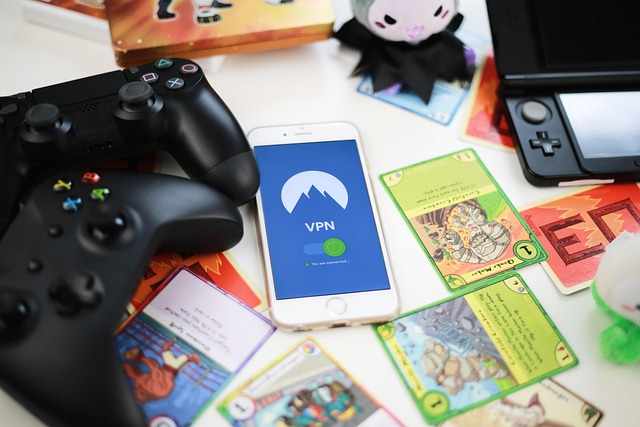
A Virtual Private Network (VPN) encrypts your internet connection, making it more secure, especially when working remotely or using public Wi-Fi.
### Choosing a VPN
– **Reputable Providers**: Opt for well-known VPN services like **NordVPN** or **ExpressVPN**.
– **Ease of Use**: Look for a user-friendly interface and straightforward setup process.
– **Privacy Policies**: Ensure the VPN provider has a no-logs policy, meaning they don’t track or store your online activities.
### Using a VPN
– **Consistently Connect**: Always connect to your VPN before accessing sensitive business information.
– **Automatic Connection**: Enable automatic connection to ensure you’re always protected.
## Data Backup Strategy: Safeguarding Your Information
Data loss can be devastating for a small business. Implementing a solid backup strategy ensures you can recover your data in case of an incident.
### Types of Backups
– **Cloud Backups**: Services like **Google Drive**, **Dropbox**, or **Backblaze** offer cloud storage solutions that automatically sync your files.
– **Local Backups**: Use external hard drives to create physical backups of your important data.
### Backup Best Practices
– **Regular Schedule**: Set a regular backup schedule, such as daily or weekly, depending on your data volume.
– **Test Restores**: Periodically test your backups by restoring a file to ensure everything works correctly.
## What to Do If You Get Hacked: Immediate Steps
Despite your best efforts, breaches can still happen. Here’s what to do if you suspect your business has been hacked:
1. **Stay Calm**: Panic can lead to rash decisions. Take a deep breath and assess the situation.
2. **Disconnect**: Immediately disconnect your device from the internet to prevent further data loss.
3. **Change Passwords**: Use a secure device to change passwords for affected accounts.
4. **Notify Affected Parties**: Inform clients or partners if their data might have been compromised.
5. **Seek Professional Help**: Consider hiring a cybersecurity expert to assess and mitigate the damage.
6. **Report the Incident**: Report the breach to the appropriate authorities and your insurance provider, if applicable.
## Security Checklist: Your Action Plan
To help you implement these tips, here’s a simple checklist:
1. [ ] Choose and set up a password manager (Bitwarden or 1Password).
2. [ ] Enable two-factor authentication on all critical accounts.
3. [ ] Learn to recognize phishing emails and educate your team if applicable.
4. [ ] Switch to a secure email provider if needed.
5. [ ] Regularly update your email and other critical passwords.
6. [ ] Select a reputable VPN and install it on all devices used for business.
7. [ ] Establish a regular data backup schedule using both cloud and local solutions.
8. [ ] Test your backup system by restoring a file.
9. [ ] Create an incident response plan in case of a breach.
By following these steps, you can significantly enhance your cybersecurity posture and protect your passion from potential threats. Remember, cybersecurity is not a one-time task but an ongoing process. Stay vigilant, update your practices regularly, and continue learning to keep your small business secure.