# Cybersecurity Essentials: Safeguarding Your Small Business from Digital Threats
In today’s digital age, cyber threats are a growing concern for businesses of all sizes. However, small businesses and solopreneurs often find themselves particularly vulnerable. With limited resources and expertise, implementing robust cybersecurity measures can seem daunting. Yet, protecting your business from digital threats doesn’t have to be an overwhelming task. This non-technical guide will walk you through the essentials of cybersecurity, offering practical tips and tools that even the least tech-savvy entrepreneur can implement.
## Understanding the Basics
Before diving into specific strategies, it’s important to understand why cybersecurity matters. Cyber threats come in many forms, including phishing attacks, malware, ransomware, and data breaches. These threats can lead to financial loss, damage to your reputation, and even legal consequences. As a solopreneur, your business is your livelihood, and safeguarding it should be a top priority.
## Password Management: The First Line of Defense
One of the simplest yet most effective ways to protect your business is through strong password management. Weak or reused passwords are a common vulnerability that cybercriminals exploit. Here’s how you can bolster your password security:
### Use a Password Manager
Password managers like **Bitwarden** and **1Password** are invaluable tools for managing your passwords securely. These applications generate strong, unique passwords for each of your accounts and store them in an encrypted vault. This means you only need to remember one master password to access all your accounts securely.
**How to Get Started:**
1. **Choose a Password Manager:** Decide between Bitwarden and 1Password based on your preferences. Both offer free and paid plans with additional features.
2. **Set Up Your Account:** Download the application, create an account, and set a strong master password. This password should be unique and not used anywhere else.
3. **Import or Create Passwords:** Import existing passwords or let the manager generate new ones. Use the tool’s browser extension to autofill passwords conveniently.
4. **Regularly Update Passwords:** Change your passwords periodically, especially for sensitive accounts like banking or email.
## Two-Factor Authentication: Adding an Extra Layer
Two-factor authentication (2FA) is an additional security measure that requires two forms of verification before granting access to an account. Even if someone obtains your password, they won’t be able to access your account without the second factor.
**How to Set Up 2FA:**
1. **Enable 2FA on Important Accounts:** Prioritize accounts that contain sensitive information, such as email, banking, and cloud storage.
2. **Choose Your 2FA Method:** Common methods include receiving a text message code, using an authentication app like Google Authenticator, or receiving a push notification.
3. **Follow Setup Instructions:** Each service will guide you through the setup process. Typically, you’ll scan a QR code with your authenticator app to link it.
4. **Keep Backup Codes Safe:** Many services provide backup codes in case you lose access to your 2FA method. Store these securely.
## Email Security: Guarding Your Inbox
Email is a primary target for cybercriminals. Phishing attacks, where attackers trick you into revealing sensitive information, are common. Here’s how to protect your email:
1. **Be Skeptical of Unsolicited Emails:** If you receive an unexpected email, especially one asking for personal information or urging immediate action, verify its authenticity.
2. **Use Spam Filters:** Ensure your email service’s spam filter is active to reduce the risk of phishing emails reaching your inbox.
3. **Avoid Clicking Suspicious Links:** Hover over links to see where they lead before clicking. If something seems off, don’t click.
4. **Educate Yourself on Phishing:** Familiarize yourself with common phishing tactics so you can recognize and avoid them.
## VPN for Remote Work: Securing Your Connection
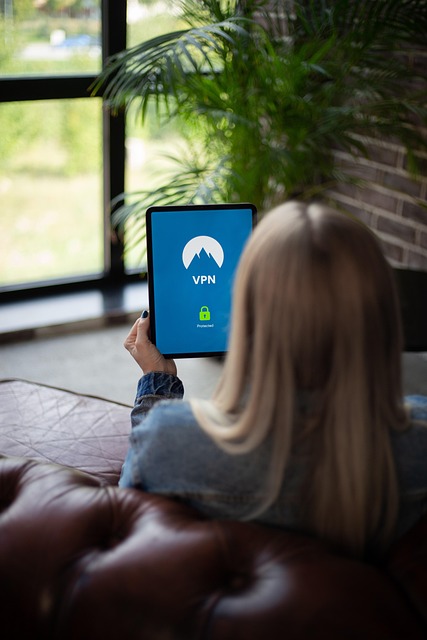
A Virtual Private Network (VPN) encrypts your internet connection, providing a secure link between your device and the internet. This is especially important when working remotely or using public Wi-Fi.
**How to Use a VPN:**
1. **Choose a Reliable VPN Service:** Look for reputable services with strong encryption standards. Some popular options include NordVPN, ExpressVPN, and CyberGhost.
2. **Install the VPN Application:** Download and install the VPN on your devices. Most services offer apps for computers and mobile devices.
3. **Connect to the VPN:** Open the app and connect to a server. Your internet traffic will now be encrypted, protecting your data from prying eyes.
4. **Use the VPN Consistently:** Always connect to the VPN when accessing sensitive information or working outside your home or office.
## Data Backup Strategy: Preparing for the Worst
Data loss can occur due to cyberattacks, hardware failures, or accidental deletions. A solid backup strategy ensures you can recover your data without significant disruption.
**Creating a Backup Plan:**
1. **Identify Critical Data:** Determine which files and information are essential for your business operations.
2. **Choose a Backup Solution:** Options include cloud storage services like Google Drive, Dropbox, or dedicated backup solutions like Backblaze or Carbonite.
3. **Automate Regular Backups:** Set up automatic backups to ensure your data is regularly saved without manual intervention.
4. **Test Your Backups:** Periodically test your backups to ensure data can be restored successfully.
## What to Do If You Get Hacked
Despite best efforts, breaches can still occur. Knowing how to respond can mitigate damage:
1. **Stay Calm and Assess the Situation:** Determine the scope of the breach and identify what information may have been compromised.
2. **Change Compromised Passwords:** Immediately update passwords for affected accounts and any others using the same credentials.
3. **Notify Affected Parties:** If customer data is involved, inform them promptly and transparently.
4. **Seek Professional Help:** Consider hiring a cybersecurity expert to assess and secure your systems.
5. **Review and Strengthen Security Measures:** Analyze how the breach occurred and implement stronger defenses to prevent future incidents.
## Cybersecurity Checklist for Solopreneurs
To help you implement these strategies, here’s a simple checklist:
– [ ] Use a password manager (Bitwarden or 1Password) to create and store strong, unique passwords.
– [ ] Enable two-factor authentication on all important accounts.
– [ ] Regularly update and strengthen passwords.
– [ ] Be vigilant about email security and recognize phishing attempts.
– [ ] Use a VPN when working remotely or on public Wi-Fi.
– [ ] Establish a regular data backup routine and test your backups.
– [ ] Develop a response plan for potential security breaches.
– [ ] Continually educate yourself on cybersecurity best practices.
By following these steps, you can significantly reduce the risk of cyber threats and protect your small business from digital harm. Remember, cybersecurity is an ongoing process, and staying informed is key to maintaining a secure business environment.