# Protect Your Business: Essential Cybersecurity Tips for Small Business Owners
In today’s digital age, cybersecurity is no longer just a concern for large corporations. Small business owners, including solopreneurs, are increasingly targeted by cybercriminals due to their often less robust security measures. If you’re a solopreneur who isn’t particularly tech-savvy, don’t worry. This guide will provide you with practical, non-technical tips to protect your business from cyber threats.
## Why Cybersecurity Matters for Small Businesses
Before diving into the tips, it’s important to understand why cybersecurity is crucial for your business. Cyberattacks can lead to financial loss, damage your reputation, and result in legal consequences. Small businesses are particularly vulnerable because they may lack the resources to recover from a significant breach. By implementing a few essential security measures, you can significantly reduce your risk of being targeted.
## Password Management
Passwords are your first line of defense against unauthorized access to your accounts. However, weak or reused passwords can easily be compromised. Here’s how you can strengthen your password security:
### Use a Password Manager
A password manager is a tool that helps you generate, store, and manage strong, unique passwords for all your accounts. Two popular options are:
– **Bitwarden**: An open-source password manager that offers both free and premium plans. It allows you to store unlimited passwords and access them on any device.
– **1Password**: Known for its user-friendly interface, 1Password provides a secure vault for your passwords and other sensitive information. It offers a free trial and affordable subscription plans.
### Tips for Effective Password Management
1. **Use Strong Passwords**: A strong password is at least 12 characters long and includes a mix of letters, numbers, and symbols. Avoid using easily guessable information like birthdays or common words.
2. **Unique Passwords for Each Account**: Never reuse passwords across different sites. A password manager can help you keep track of them all.
3. **Regularly Update Your Passwords**: Change your passwords every few months or immediately if you suspect a breach.
## Two-Factor Authentication (2FA)
Two-factor authentication adds an extra layer of security by requiring a second form of verification in addition to your password. This could be a code sent to your phone or an app-generated code.
### How to Set Up 2FA
1. **Identify Accounts That Support 2FA**: Most major services like Google, Facebook, and your email provider support 2FA. Check their security settings to enable it.
2. **Choose Your 2FA Method**: You can use SMS, email, or an authenticator app like Google Authenticator or Authy. Apps are generally more secure than SMS.
3. **Follow Setup Instructions**: Each service will guide you through the setup process. Typically, you’ll scan a QR code with your authenticator app to link it to your account.
## Email Security
Email is a common entry point for cyberattacks such as phishing. Protect your business by securing your email communications.
### Tips for Enhancing Email Security
1. **Be Wary of Phishing Attempts**: Phishing emails often look legitimate but contain malicious links or attachments. Verify the sender’s email address and avoid clicking on suspicious links.
2. **Use a Secure Email Provider**: Choose an email provider with strong security features, such as Gmail or ProtonMail.
3. **Regularly Update Your Email Password**: Use your password manager to generate and store a strong, unique password for your email account.
4. **Enable Email Encryption**: Some email providers offer encryption options to protect your messages from being intercepted.
## VPN for Remote Work
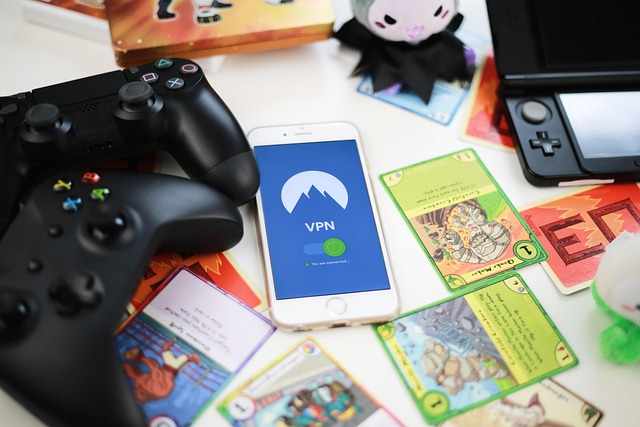
A Virtual Private Network (VPN) encrypts your internet connection, making it more secure, especially when you’re working remotely or using public Wi-Fi.
### How to Use a VPN
1. **Choose a Reliable VPN Service**: Look for a VPN provider with a good reputation, such as NordVPN or ExpressVPN. These services offer user-friendly apps for various devices.
2. **Install the VPN App**: Follow the provider’s instructions to install the app on your devices.
3. **Connect to the VPN**: Open the app and connect to a server. Your internet connection is now encrypted, providing an additional layer of security.
## Data Backup Strategy
Data loss can happen due to cyberattacks, hardware failure, or accidental deletion. A solid backup strategy ensures you can recover your data if something goes wrong.
### Steps to Implement a Data Backup Strategy
1. **Choose a Backup Solution**: Options include cloud-based services like Google Drive, Dropbox, or physical storage such as external hard drives.
2. **Regularly Back Up Your Data**: Schedule automatic backups to ensure your data is consistently updated. Aim for daily or weekly backups, depending on your business needs.
3. **Test Your Backups**: Periodically test your backups to ensure they can be restored without issues.
## What to Do If You Get Hacked
Despite taking precautions, breaches can still occur. Here’s what to do if you suspect your business has been hacked:
1. **Stay Calm and Assess the Situation**: Determine which accounts or systems have been compromised.
2. **Change Your Passwords**: Immediately change the passwords for affected accounts and any others that may be at risk.
3. **Enable 2FA**: If not already enabled, set up two-factor authentication on all your accounts.
4. **Contact Your Service Providers**: Inform your email provider, web host, or any other relevant services about the breach.
5. **Consult a Cybersecurity Professional**: If needed, hire an expert to help you assess the damage and secure your systems.
6. **Inform Affected Parties**: If customer data was compromised, notify them about the breach and the steps you’re taking to resolve it.
7. **Review and Strengthen Your Security Measures**: Use the breach as a learning opportunity to improve your cybersecurity practices.
## Security Checklist for Solopreneurs
To help you implement these tips, here’s a simple checklist to follow:
– [ ] Use a password manager (Bitwarden or 1Password) to store and manage your passwords.
– [ ] Enable two-factor authentication on all accounts that support it.
– [ ] Be vigilant against phishing attempts and use a secure email provider.
– [ ] Install and use a VPN when working remotely or on public Wi-Fi.
– [ ] Implement a regular data backup strategy with cloud or physical storage.
– [ ] Have a plan in place for responding to a cyberattack.
By following these actionable steps, you can significantly enhance the cybersecurity of your small business. Remember, even small changes can make a big difference in protecting your business from cyber threats. Stay informed, stay vigilant, and prioritize cybersecurity as part of your business strategy.